I didn't get an aurora alert
Alerts take cloud, darkness and the Moon into account, follow the level you chose, and repeat at most every 6 hours.
An aurora alert isn't sent just because Kp is high. Work through these in order.
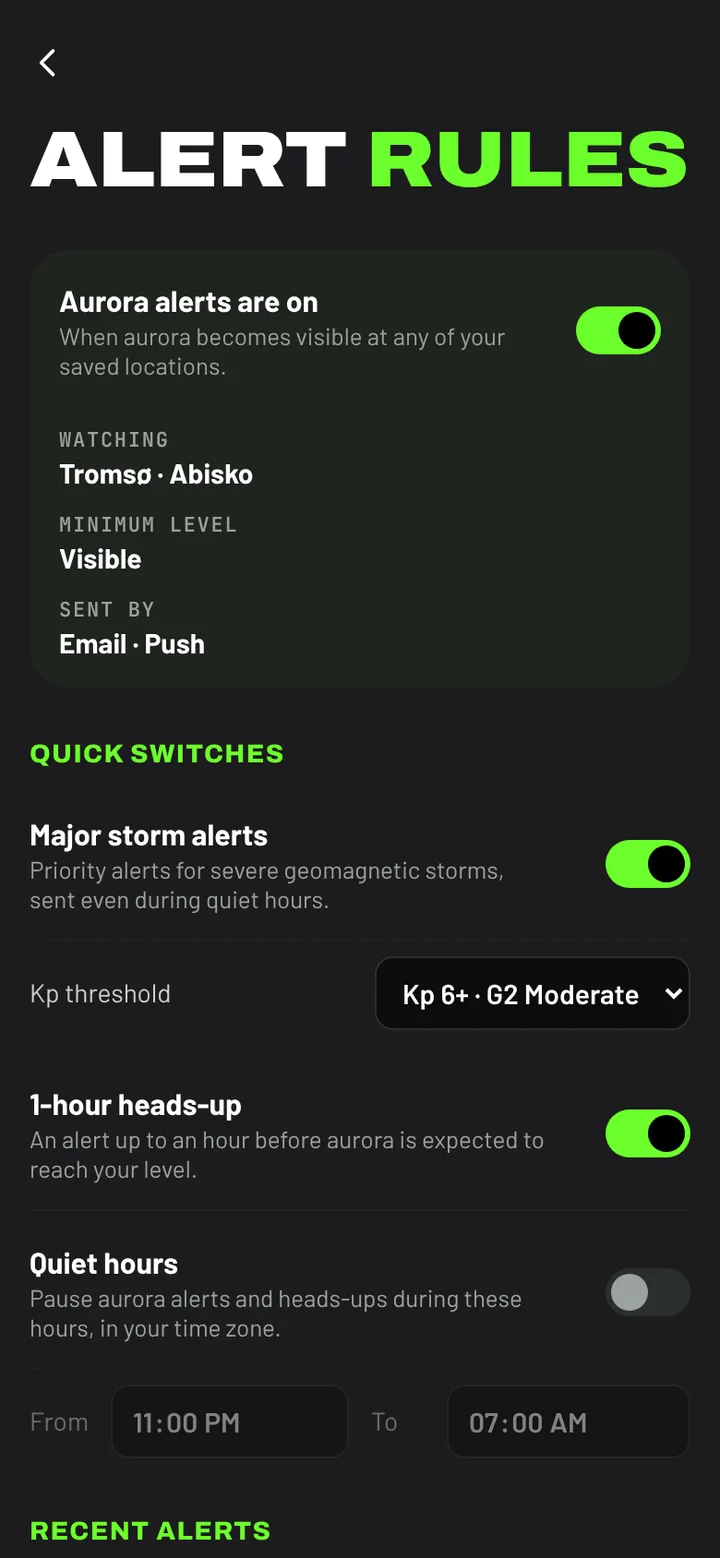
Check that alerts are on
Open Alerts (You → Alerts on a phone, Dashboard → Alerts on a computer). The box at the top should say Aurora alerts are on, list your place under Watching and show at least one channel under Sent by.
- If Watching is empty, set a Home location. See Set your Home location.
- If Sent by says No channel switched on, turn on Email or Push under Deliver via.
Was it visible where you are?
Alerts use the same chance score as the Tonight card, which counts cloud, darkness and the Moon as well as the aurora. If it was cloudy or not yet dark at your place, the score stays low and no alert goes out, even during a storm. That's deliberate: the alert means it's worth going outside.
Is your level too high?
You only get alerts for the level you chose and stronger. Clearly visible is rare away from the far north; Visible or Faintly visible alert more often. The chart under the levels shows how many of the last 30 days reached each one at your Home.
Other reasons
- Quiet hours: aurora alerts and heads-ups aren't sent between the times you set. Major storm alerts still are.
- Repeats: an aurora alert for the same place is sent at most once every 6 hours.
- Which places: Free alerts watch your Home only. Chaser watches all your saved places.
See what was sent
Recent alerts, on the Alerts page, lists every alert sent to you. If an alert is listed there but never reached you, the problem is with delivery: see Push notifications don't arrive or Alert emails don't arrive.