How do I cancel Chaser?
It depends on how you pay. Card payments are managed in Polar Lights, Google Play payments in Google Play.
Paid by card (on the website)
On a phone, open You → Plan & billing. On a computer, open Dashboard → Account. Then choose Manage billing or Cancel membership. Stripe's secure billing page opens, where you can cancel; it shows the date your membership ends.
Paid through Google Play
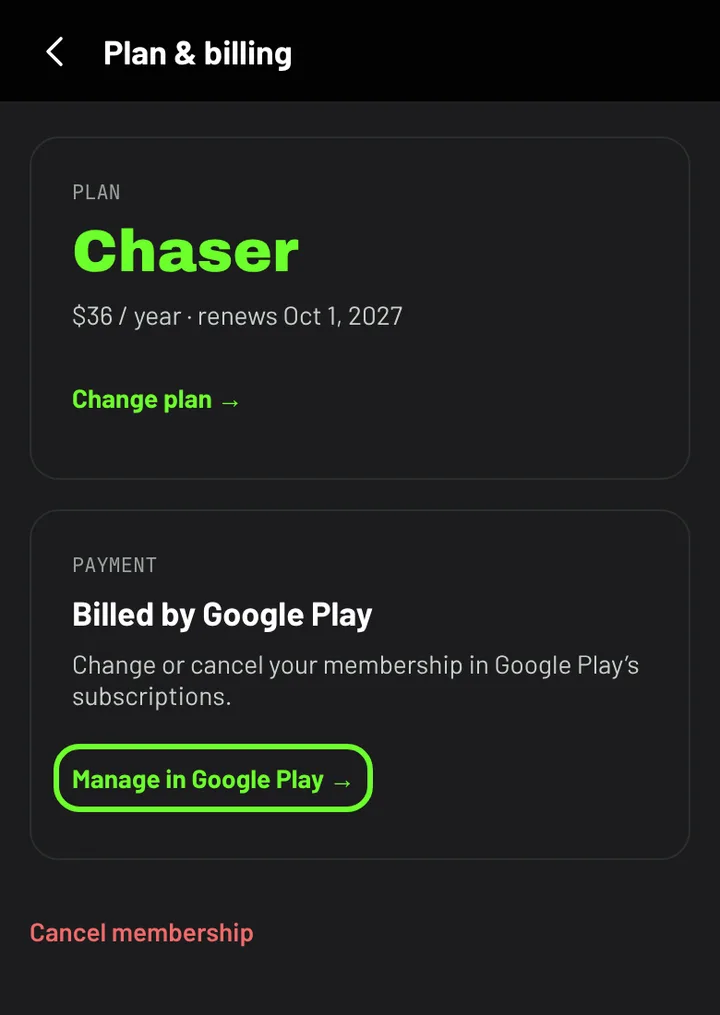
Open You → Plan & billing and choose Manage in Google Play. Or, in the Play Store app, tap your profile picture, then Payments & subscriptions → Subscriptions → Polar Lights → Cancel subscription.
Deleting your account also cancels a card subscription straight away, and stops a Google Play subscription from renewing.