Set up aurora alerts
Choose how strong the aurora must be, how you're told, and when not to be disturbed.
Alerts tell you when the aurora is likely where you are, with cloud and darkness taken into account, so you don't have to keep checking. You need an account; see Create an account.
Open You → Alerts on a phone, or Dashboard → Alerts on a computer.
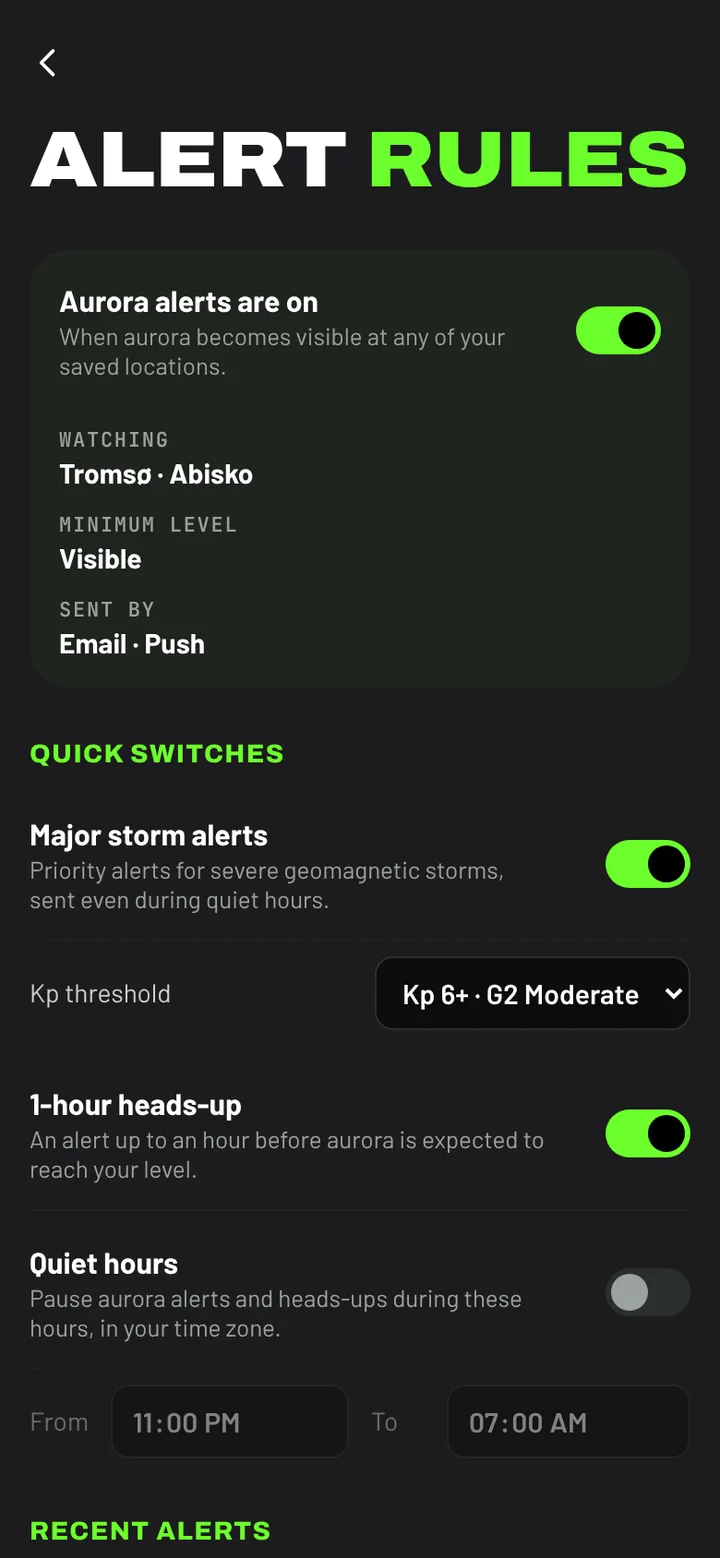
Aurora alerts
The switch at the top turns aurora alerts on or off. Below it you can see which places are watched, the level you've chosen and how alerts are sent. Free alerts watch your Home; Chaser watches all your saved places.
Choose the level
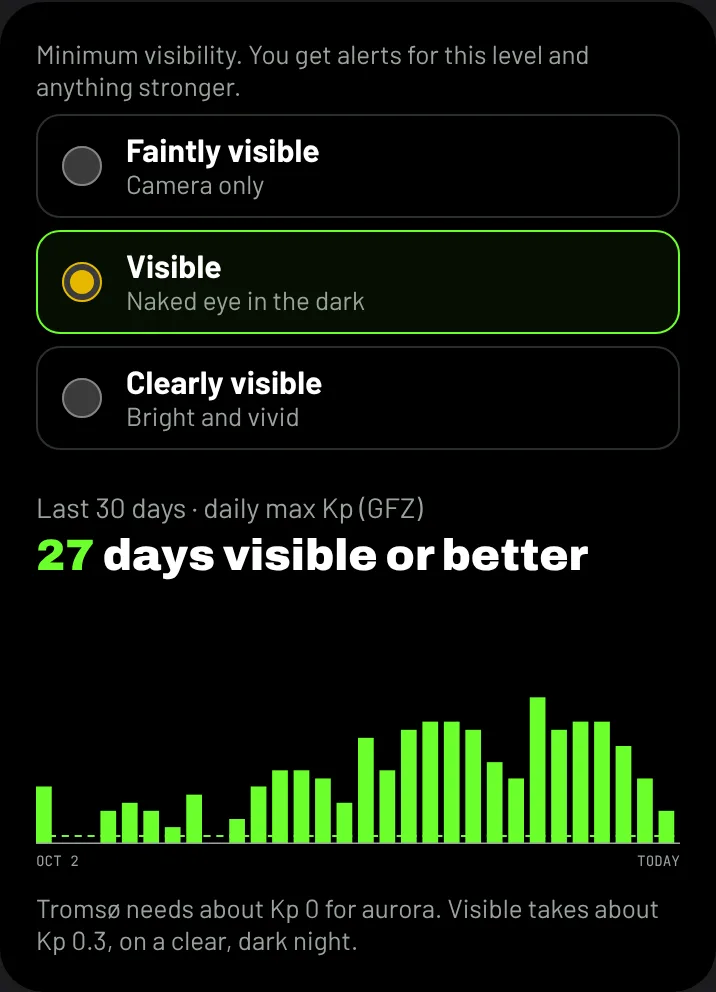
Pick the weakest aurora you want to hear about. You get alerts for this level and anything stronger:
- Faintly visible: camera only.
- Visible: to the naked eye in the dark.
- Clearly visible: bright and vivid.
The chart beside it shows how many of the last 30 days reached that level at your Home on a clear, dark night, so you can see how often each choice would have alerted you.
Quick switches
- Major storm alerts: for severe geomagnetic storms, from the Kp threshold you choose. These are sent even during quiet hours.
- 1-hour heads-up (Chaser): an alert up to an hour before aurora is expected to reach your level.
- Quiet hours: no aurora alerts or heads-ups between the times you set, in your time zone.
How you're told
Under Deliver via:
- Email goes to your account's address.
- Push (Chaser) sends a notification to this phone or browser. Turn it on and allow notifications when asked. Turn it on on each device you want alerts on.
More alert types
Chaser adds alerts for the conditions that come before aurora: Bz turns south, Substorm onset, Strong solar-wind driving, CMEs: forecast and arrival and Solar flares. What this means under each explains it.
Recent alerts lists what you've been sent.