Post a photo to the gallery
Share your aurora photos with other members, and vote for the ones you find beautiful.
The Gallery has members' aurora photos. Anyone can look; you need an account to post or vote.
Browse
The buttons at the top choose which photos you see: Tonight, This storm, Near me (within 500 km of your Home), Top, Recent and, once you're signed in, My gallery. Tap a photo to see where and when it was taken, the Kp at the time and the camera settings.
Tap Beautiful on photos you like. Beautiful votes earn the photographer points.
Post a photo
- In Gallery, tap Post.
- Choose a photo you took.
- Add a Caption if you like.
- Under Show where it was taken as, choose Town (to about 10 km), Wider area, or Don't show a place.
- Confirm that you took the photo and that it follows the community rules, then tap Post photo.
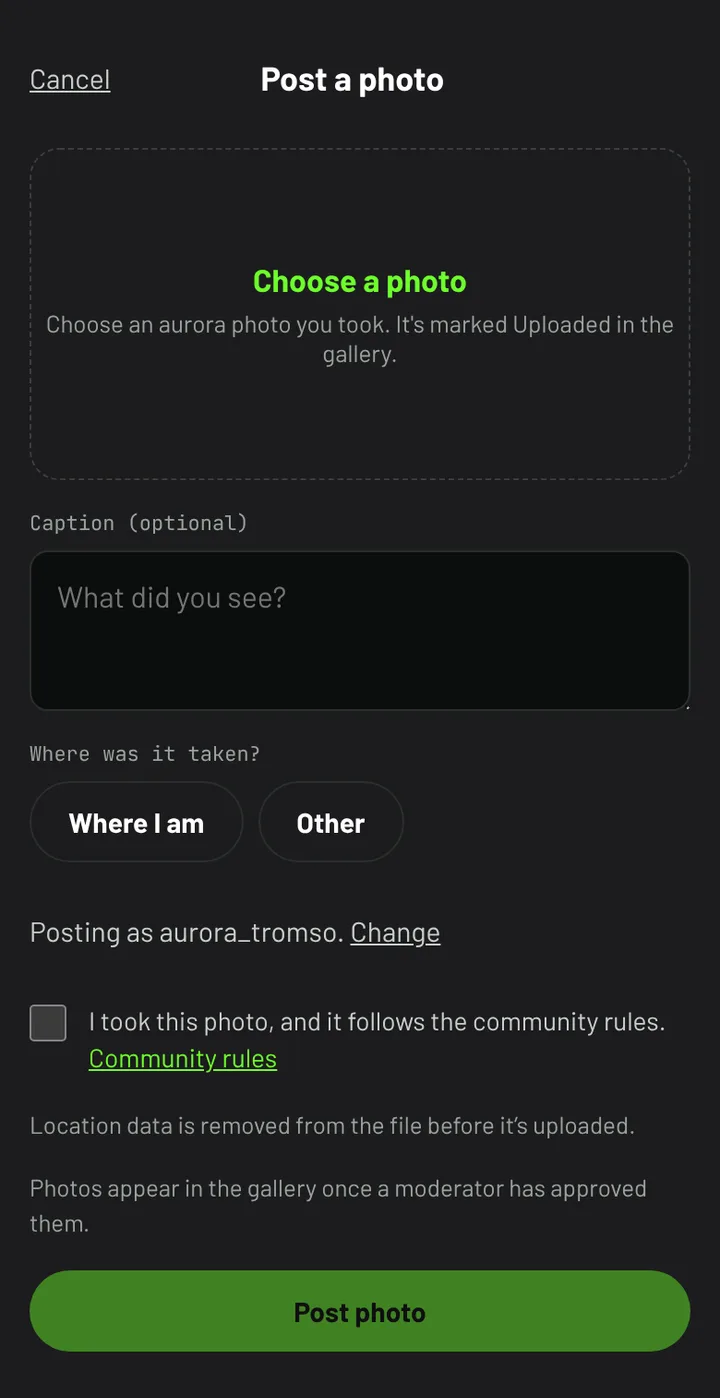
Location data is removed from the file before it's uploaded. A moderator checks each photo before it appears in the gallery; until then only you can see it, marked Waiting for review. You can post 10 photos a day.
Rules
Post only aurora and night-sky photos you took yourself. Tap Report photo on anything that breaks the rules; a photo reported by three members is hidden until it's reviewed. Block hides a member's photos from you.